> For the complete documentation index, see [llms.txt](https://docs.trickys.gg/llms.txt). Markdown versions of documentation pages are available by appending `.md` to page URLs; this page is available as [Markdown](https://docs.trickys.gg/games/motortown/quick-help.md).

# Quick Help

## Spawning & despawning vehicles

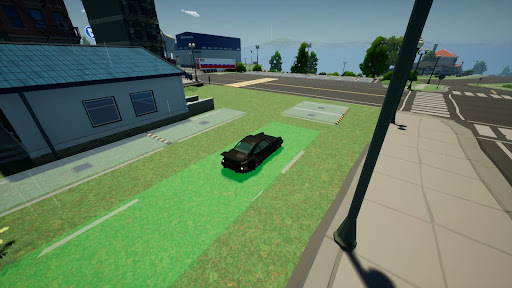
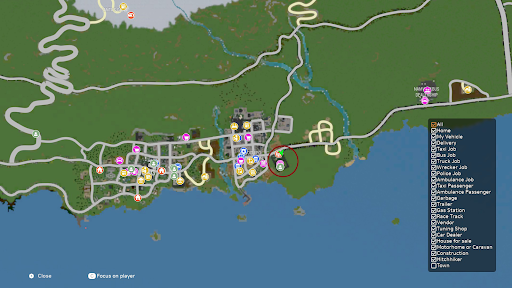
Spawn Area

<div align="left"><figure><img src="/files/zf83jykIhvQ9fKu5j8Ec" alt="" width="384"><figcaption></figcaption></figure></div>

### Spawn a vehicle

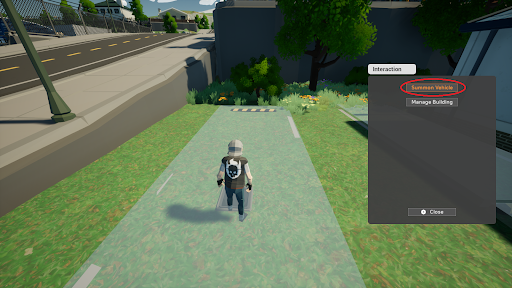
When in the area click on **Summon Vehicle**

<div align="left"><figure><img src="/files/3ZdUixr186A340HHAfXR" alt="" width="384"><figcaption></figcaption></figure></div>

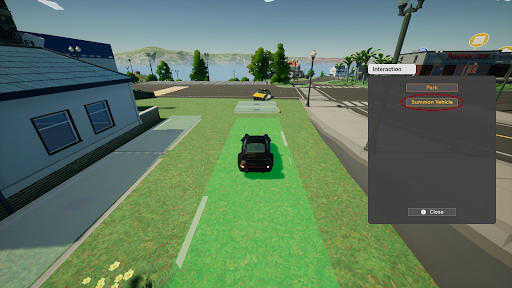
You can also **Summon Vehicle** when already in a vehicle

<div align="left"><figure><img src="/files/1qgUoARPt5zmAIuOHoZt" alt="" width="384"><figcaption></figcaption></figure></div>

### Despawn a vehicle

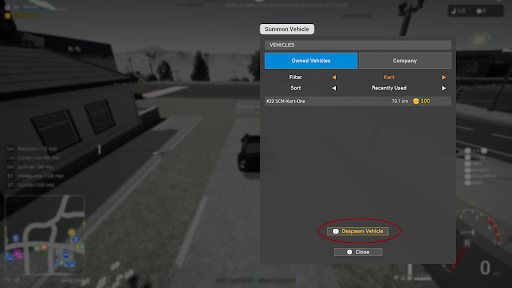
When in the area click on **Despawn Vehicle**

<div align="left"><figure><img src="/files/0aQhh6OH8lhd74jaXNPp" alt="" width="384"><figcaption></figcaption></figure></div>

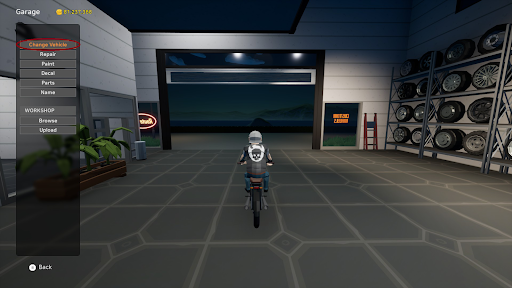
You can also spawn & despawn vehicles in a tuning workshop

<div align="left"><figure><img src="/files/Uje2A33ZzdceMjpkgrE6" alt="" width="384"><figcaption></figcaption></figure></div>

## Starting a company

{% hint style="info" %}
**LOCATION**\
SEOGUIPO DOWNTOWN
{% endhint %}

<div align="left"><figure><img src="/files/wWSDeHSFFHnxf0i7Lth2" alt="" width="384"><figcaption></figcaption></figure> <figure><img src="/files/R8f1w1LzeZF2aYKaEX8H" alt="" width="384"><figcaption></figcaption></figure></div>

### Company types

* Companys are client side.
* Corporations are saved on the server.

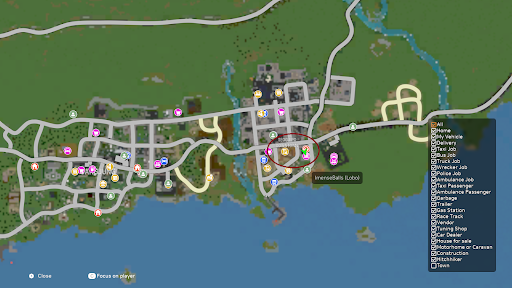
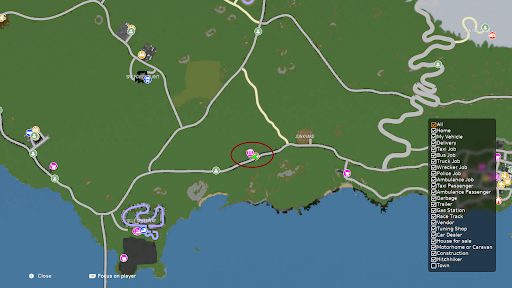
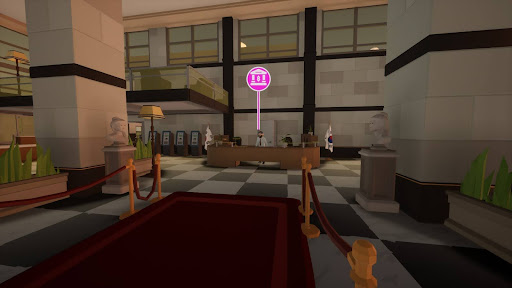
## Find the bank

{% hint style="info" %}
**LOCATION**\
GANGJUNG
{% endhint %}

<div><figure><img src="/files/p7G8zbu7ndlNkJV03Ddx" alt=""><figcaption></figcaption></figure> <figure><img src="/files/OrTEMEqYcnXJZYw7ddbd" alt=""><figcaption></figcaption></figure></div>

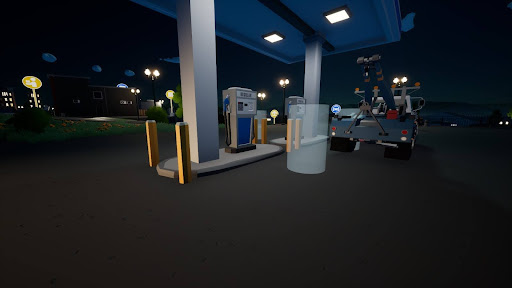
## Gas station

Walk up to the pump

<div align="left"><figure><img src="/files/azLXvKEPjhCNej4JqQSD" alt="" width="384"><figcaption></figcaption></figure></div>

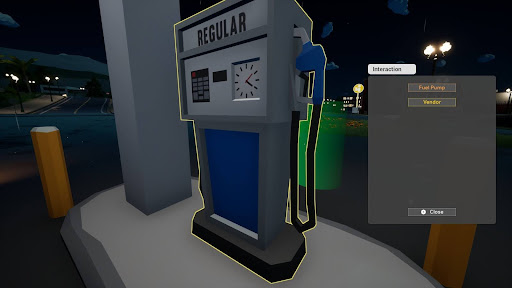
Click **Fuel Pump**

<div align="left"><figure><img src="/files/AB2kYJYcfxfoI7ZeKhqy" alt="" width="384"><figcaption></figcaption></figure></div>

### Jerrycan

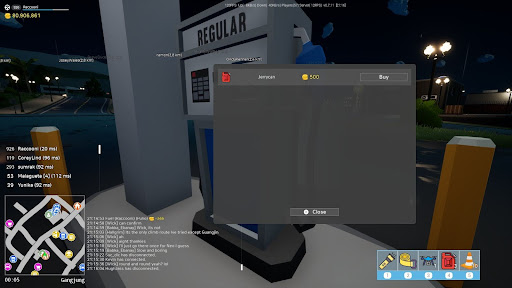
You can also buy jerrycan's at the gas station

<div align="left"><figure><img src="/files/nc7ZCuhzKYkOFp6ajJVV" alt="" width="384"><figcaption></figcaption></figure></div>

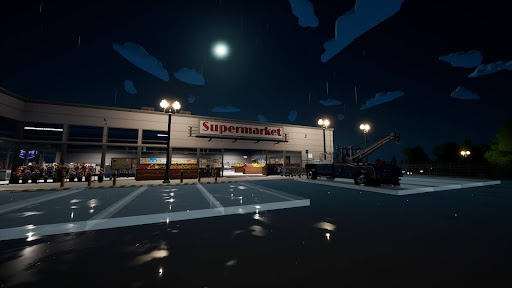
## Supermarket

<div align="left"><figure><img src="/files/wvNzNiAs3svo64tNtcdt" alt="" width="384"><figcaption></figcaption></figure></div>

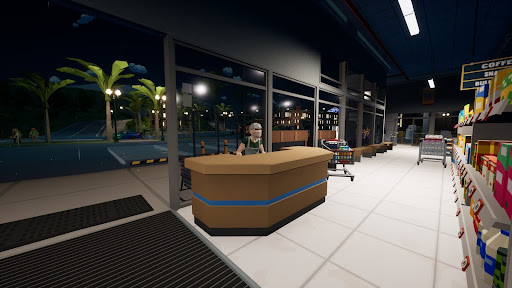
Walk up to the shop keeper

<div align="left"><figure><img src="/files/5wBZ3u7a2wRrlB4BU4pw" alt="" width="384"><figcaption></figcaption></figure></div>

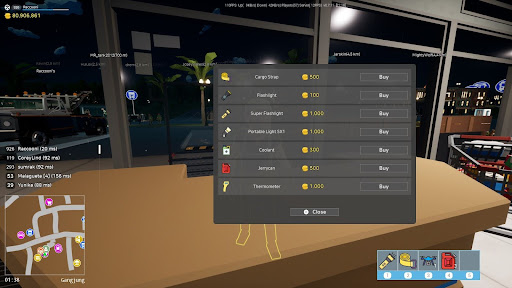
Items you can buy

<div align="left"><figure><img src="/files/G26vL56MTo2uNQHnI7N7" alt="" width="384"><figcaption></figcaption></figure></div>

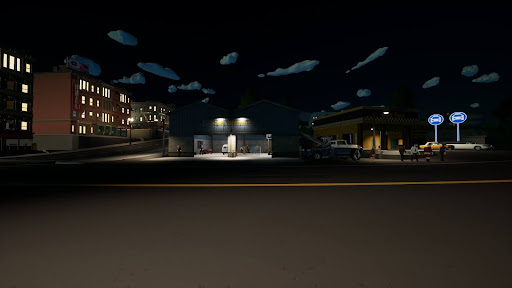
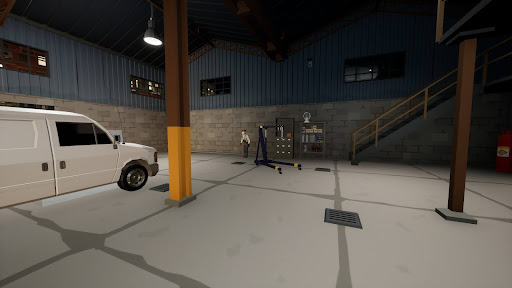
## Tuning garage

<div><figure><img src="/files/MKp4LAfQSn1jBfWdD9nV" alt="" width="384"><figcaption></figcaption></figure> <figure><img src="/files/Osf3Gpv5OpaVL6Utq7cK" alt="" width="384"><figcaption></figcaption></figure></div>

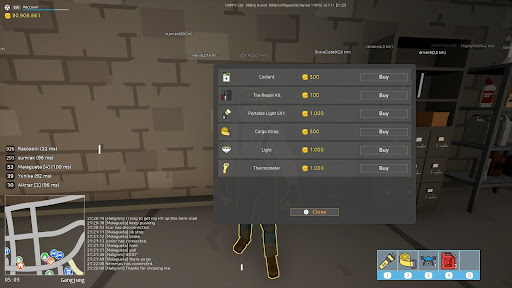
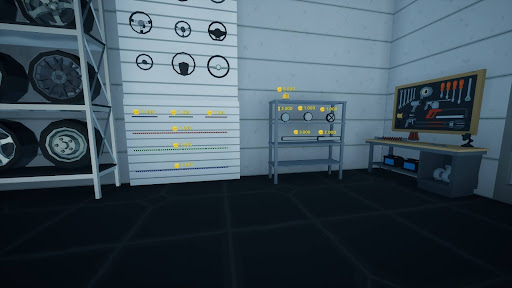
Items you can buy from the garage

<div align="left"><figure><img src="/files/jHe4lkqskUWHZH3sfTn4" alt="" width="384"><figcaption></figcaption></figure></div>

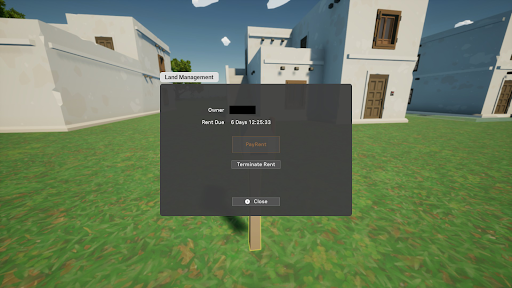
## Renting plots

After 7 days plots expire and can be rented by anyone else. You should therefore rent it out again before the 7-day timer expires (preferably on the 6th day).

<div align="left"><figure><img src="/files/dsWgowyaAdutGWmQQHJZ" alt="" width="384"><figcaption></figcaption></figure></div>

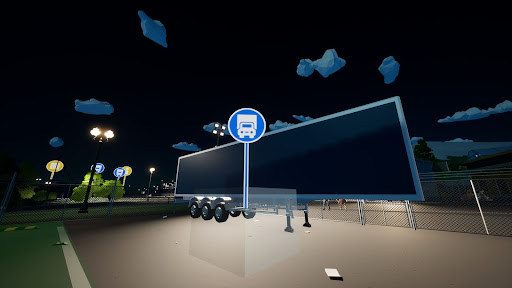
## Renting vehicles & trailers

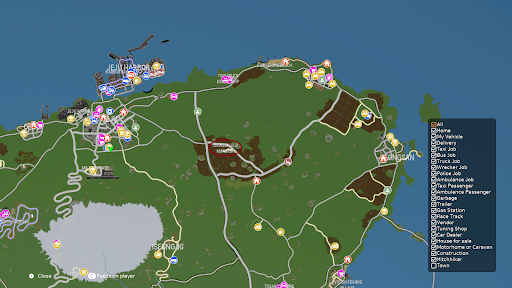
You can rent a vehicle and trailer at these blue symbols (you have to pay a small fee).

<div align="left"><figure><img src="/files/eoqWKC8Lu81M4KUwuIFm" alt="" width="384"><figcaption></figcaption></figure></div>

## Lights & LED's

{% hint style="info" %}
**LOCATION**\
SEOGUIPO DOWNTOWN
{% endhint %}

<div><figure><img src="/files/39kEH03kg6HfYcC0MhDk" alt="" width="384"><figcaption></figcaption></figure> <figure><img src="/files/P2rJU8tIQrc76XOHi4el" alt="" width="384"><figcaption></figcaption></figure></div>

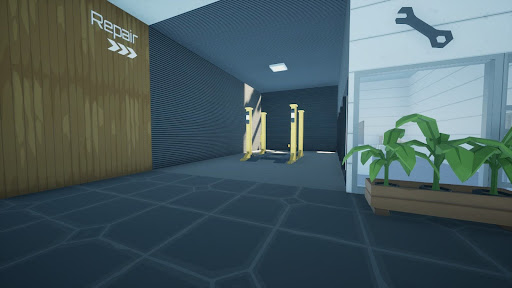
<div><figure><img src="/files/X8qJTBwU10PCVOcVoQmg" alt="" width="384"><figcaption></figcaption></figure> <figure><img src="/files/r0nbo9imYBHEuCarxSH3" alt="" width="384"><figcaption></figcaption></figure></div>

### Car ramp

Yes the lift goes up and down!

There is also a CAR SUPPLY SHOP with a lift in JEJU with lights and LED´s to buy.

<div align="left"><figure><img src="/files/cbsDDo1Q24ABGy2aLtBA" alt="" width="384"><figcaption></figcaption></figure></div>

### Truck ramp

{% hint style="info" %}
**LOCATION**\
GU-JWA
{% endhint %}

<div><figure><img src="/files/4Hd56JmtVfTYRY3glIO9" alt="" width="384"><figcaption></figcaption></figure> <figure><img src="/files/yJmqs4wzg3ckdG7zYuBG" alt="" width="384"><figcaption></figcaption></figure></div>

## Flipped trailer

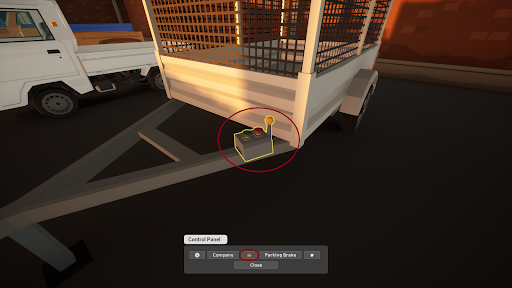
Interact with the control panel and use the roadside service from the control panel

<div align="left"><figure><img src="/files/L4dr6B46VuL5PV2Rhduw" alt="" width="384"><figcaption></figcaption></figure></div>

## Company share & vehicle access

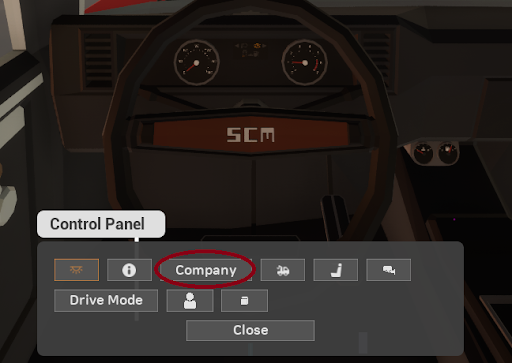
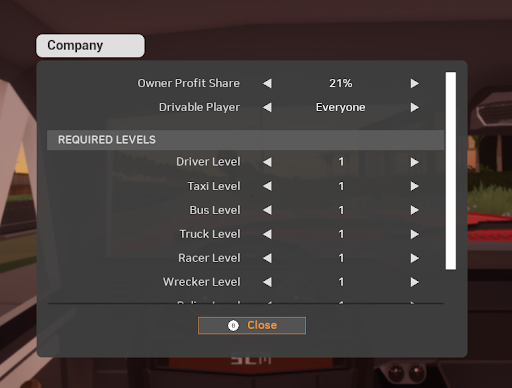
To set the company share and who can drive your vehicle, press `TAB` and click on `Company`

<div align="left"><figure><img src="/files/DEIPHKUiGvFfpcyqhG68" alt="" width="384"><figcaption></figcaption></figure></div>

**Owner Profit Share** - How much the owner will earn\
**Drivable Player** - Who can access your vehicle

<div align="left"><figure><img src="/files/3VPUh8DY62R4TtAJq5Se" alt="" width="384"><figcaption></figcaption></figure></div>

## Vehicle assist

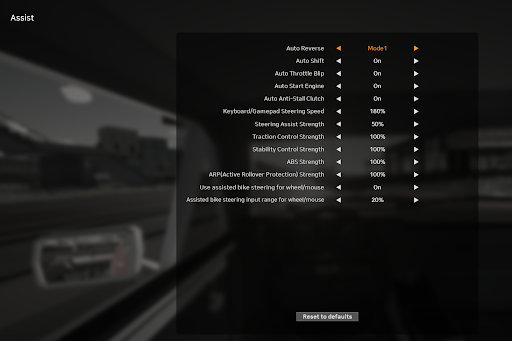
In the options under `Assist` you can change your steering input and much more

<div align="left"><figure><img src="/files/HL6qXKmzjBFNznpvH4mm" alt="" width="384"><figcaption></figcaption></figure></div>

## Internet radio

Tired of standard sound track? Dont worry we have internet radio

Use `ESC` and `Radio` to access

<div align="left"><figure><img src="/files/b7dHuMKDYMyrHrHBROyR" alt="" width="384"><figcaption></figcaption></figure></div>

## Homes & campy

## Event locations

These events are only added to the game for a limited time.

### Santas Cabin <a href="#santas-cabin" id="santas-cabin"></a>

<div align="left"><figure><img src="/files/sZJHlFAfTSeuJlUo6euJ" alt="" width="384"><figcaption></figcaption></figure></div>

### Halloween Event <a href="#halloween-event" id="halloween-event"></a>

<div align="left"><figure><img src="/files/z3aVgx45je98kEqNC17p" alt="" width="384"><figcaption></figcaption></figure></div>

## Prices

| Item                   | Cost                                  |
| ---------------------- | ------------------------------------- |
| Flashlight             | <i class="fa-coins">:coins:</i> 100   |
| Tire Repair Kit        | <i class="fa-coins">:coins:</i> 100   |
| Coolant                | <i class="fa-coins">:coins:</i> 300   |
| Jerrycan               | <i class="fa-coins">:coins:</i> 500   |
| Cargo Strap            | <i class="fa-coins">:coins:</i> 500   |
| Light                  | <i class="fa-coins">:coins:</i> 1,000 |
| Thermometer            | <i class="fa-coins">:coins:</i> 1,000 |
| Super Flashlight       | <i class="fa-coins">:coins:</i> 1,000 |
| Portable Light SX1     | <i class="fa-coins">:coins:</i> 1,000 |
| Halogen lights         | <i class="fa-coins">:coins:</i> 1,000 |
| Small Color LED lights | <i class="fa-coins">:coins:</i> 1,000 |
| Large Color LED lights | <i class="fa-coins">:coins:</i> 1,000 |
| Large White LED light  | <i class="fa-coins">:coins:</i> 1,000 |
| Small White LED light  | <i class="fa-coins">:coins:</i> 2,000 |
| LED light              | <i class="fa-coins">:coins:</i> 3,000 |
| Beacon                 | <i class="fa-coins">:coins:</i> 5,000 |

*Guide Created by Community, want to help? let us know in discord*\
Contributors: [Raccooni](https://trickys.gg/profile/76561197979716189)


---

# Agent Instructions
This documentation is published with GitBook. GitBook is the documentation platform designed so that both humans and AI agents can read, navigate, and reason over technical content effectively. Learn more at gitbook.com.

## Querying This Documentation
If you need additional information that is not directly available in this page, you can query the documentation dynamically by asking a question.

Perform an HTTP GET request on the current page URL with the `ask` query parameter, and the optional `goal` query parameter:

```
GET https://docs.trickys.gg/games/motortown/quick-help.md?ask=<question>&goal=<endgoal>
```

`ask` is the immediate question: it should be specific, self-contained, and written in natural language.
`goal` is optional and describes the broader end goal you are ultimately trying to accomplish on behalf of the user. GitBook uses it to tailor the answer towards what is most useful for that goal.

The response will contain a direct answer to the question and relevant excerpts and sources from the documentation.

Use this mechanism when the answer is not explicitly present in the current page, you need clarification or additional context, or you want to retrieve related documentation sections.